
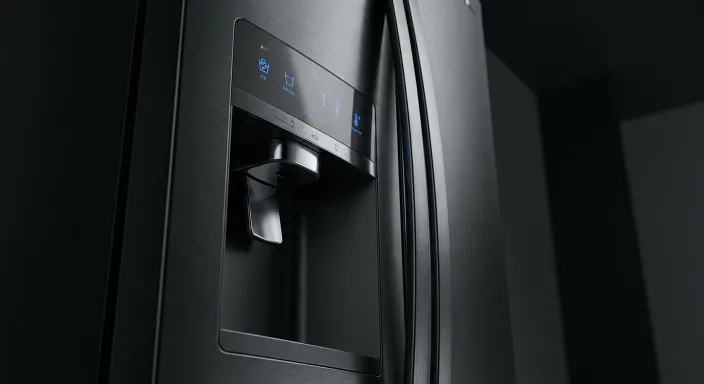

Samsung appliance repair in a Kingston kitchen

Samsung specialists, Kingston and area

Samsung appliance repair by Cataraqui

Samsung builds appliances that fail in very particular ways, from Twin Cooling Plus defrost sensors to Hall sensors in VRT washers. Our technicians read the codes, carry the parts that go first, and back every Samsung repair in Kingston with a 90-day warranty on parts and labour.

  • $0 service call with repair
  • 90-day warranty
  • Open 7am to 11pm
  • Samsung parts on the van
Samsung appliance repair in Kingston, Ontario

Common issues

Samsung faults Cataraqui technicians see every week

Pick the appliance to see the faults, what each one usually means on a Samsung, and what is worth trying before you book.

Fridge section warms while the freezer stays cold

Samsung French door and side-by-side models run Twin Cooling Plus, which gives each compartment its own evaporator. When the defrost sensor stops reporting, ice sheets over the rear freezer panel and the airflow into the fridge side drops away.

Try first: Empty the fridge and leave it unplugged with the doors open for 24 hours. If the cooling comes back and then fades again within a week, the defrost sensor or heater is the part to replace, not the compressor.

Water sitting under the crisper drawers

On most Samsung RF models the defrost drain runs behind the rear freezer panel and ices shut. Meltwater then takes the only path it has, down the back wall and into the drawers.

Try first: Pour a cup of warm water slowly into the drain hole at the base of the freezer wall. If it backs up or refreezes in a day or two, the drain heater has failed and needs replacing.

Ice maker stopped making ice

The RF-series ice maker is the part we replace most on Samsung fridges in Kingston. Either the tray freezes into one block, the fill tube ices over, or the inlet valve stops opening.

Try first: Hold the ice maker reset button for about three seconds and listen for the fill. No water sound within a few minutes and no ice after a day points at the valve or the module.

OF OF, RF or PC on the display

OF OF means the fridge is sitting in showroom mode, which often happens after a power cut. RF and PC are fan and control board faults and need a meter to separate them.

Try first: For OF OF, hold Energy Saver and Power Freeze together for three seconds. For RF or PC, unplug for five minutes. If the code comes back, book the visit rather than resetting it again.

Recent repair, Sydenham Ward, Kingston

Samsung fridge repair

A client called about a Samsung RF French door where the lower shelves had stopped keeping food cold while the freezer seemed normal. Unplugging it overnight helped for a couple of days, then the same thing happened again.

Diagnosis and fix

Defrost sensor replaced

The back wall of the freezer was one solid sheet of ice, the classic Twin Cooling Plus symptom. We replaced the defrost sensor, cleared the ice from the evaporator and the fridge held temperature within three hours. Covered by the 90-day warranty.

DC or UE error, cycle stops partway

Both codes come from the same place: the machine has decided the drum is out of balance. Samsung VRT washers read rotation through a Hall sensor, and when that sensor drifts the washer stops even on a load that looks fine.

Try first: Redistribute the load by hand, check that all four feet sit flat, and run it again. If the code returns on a small balanced load, the Hall sensor or the suspension rods are the cause.

5E, 4C or nF error, no drain or no fill

5E and 4C are drain faults, nF means the machine never filled. On AddWash and WF models the pump filter collects lint, coins and the occasional hair tie until the water has nowhere to go.

Try first: Open the small door at the bottom front, put a towel and a shallow tray underneath and unscrew the filter slowly. Clear it and run a rinse. If the code stays, the drain pump is done.

Water on the floor in front of the machine

Front-load Samsung washers develop tears in the door boot, usually in the inner fold where water and detergent sit between washes. The leak shows up during the wash rather than at the end.

Try first: Pull the fold of the gasket back and look for splits, grit or mould. Dry it after every load. A torn boot cannot be patched, it gets replaced as a unit.

Heavy shaking on the spin cycle

The VRT counterbalance keeps the drum steady at high speed. When the suspension rods lose their damping the drum drops a few millimetres and the machine hammers, sometimes walking across the floor.

Try first: Check the levelling feet first, then run a spin with two or three towels. Still banging on a light balanced load means the rods or the drum bearing need attention.

Recent repair, Bayridge, Kingston

Samsung washer repair

A Samsung AddWash front-loader kept halting mid-cycle with a DC error. The owner had already tried restarting it, splitting the load in half and relevelling the machine, and the error came back every time.

Diagnosis and fix

Hall sensor replaced

The Hall sensor that reads drum speed had failed, so the control kept seeing an unbalanced load that was not there. Replaced on the first visit and tested through three spin speeds. Covered by the 90-day warranty.

Tumbles fine but the clothes stay damp

The usual cause on Samsung DV dryers is a blown thermal fuse. It is a one-shot safety part on the exhaust duct behind the back panel, and it trips when the dryer overheats. It cannot be reset.

Try first: Before anything else, go outside and check the vent hood while the dryer runs. A restricted duct is what blows the fuse, and a new fuse in a blocked system lasts weeks at best.

tS, tO or hE code on the panel

tS means the thermistor reads shorted, tO means open, hE points at the heater circuit. All three need a meter, because a heating element and a thermistor fail with very similar symptoms.

Try first: Unplug for ten minutes and start a fresh cycle. If the same code returns, note the exact letters and give them to us on the phone, it decides which part we bring.

Squealing or a thump on every turn

Samsung dryers run the drum on two rear rollers and a front bearing. Any of the three can flatten out, and the belt stretches with age until it slips and chirps.

Try first: Run the dryer empty for a minute. If it squeals with nothing inside, the noise is mechanical and the rollers or belt need replacing before the drum starts to wear.

Cycle ends early with the load still wet

Moisture sensor bars inside the drum get coated with softener residue and start telling the control the clothes are dry. Common on DV models used with dryer sheets every load.

Try first: Find the two thin metal strips near the lint trap and wipe them with rubbing alcohol. If the cycle still cuts short, the thermistor or the control board is next in line.

Recent repair, Reddendale, Kingston

Samsung dryer repair

A Samsung DV dryer ran its full cycle but left everything damp. The lint trap was clean, no code was showing, and the drum turned normally, so the owner assumed the machine was simply getting old.

Diagnosis and fix

Heating element and blocked vent

The element had burnt out because a partly blocked wall duct kept the cabinet too hot. We replaced the element and cleared the duct in the same visit, because doing one without the other would have killed the new part in a few months. Covered by the 90-day warranty.

5C or OC error, water left in the tub

These are Samsung's drain faults. WaterWall and StormWash models push a lot of water through the filter, so they silt up faster than average, especially with hard Kingston tap water.

Try first: Pull the lower rack, twist out the filter at the base of the tub and rinse it under the tap. If that clears it, make it a monthly habit. If not, the drain pump or its check valve has failed.

Dishes come out with residue

StormWash spray arms have a lot of small nozzles, and mineral scale narrows them one by one. Pressure drops, the upper rack suffers first, and a longer cycle does not make up for it.

Try first: Unclip the arms, rinse them and clear each nozzle with a toothpick. No improvement after a full clean usually means the circulation pump is losing pressure.

Leak at the bottom of the door

The door gasket hardens after a few years, or the door sits slightly out of alignment. Either way water escapes at the front during the wash rather than pooling inside.

Try first: Run a cycle and press along the gasket with a dry cloth to find the gap. A cracked gasket is replaced, and if the door itself is out of line the hinges can be adjusted first.

LC or LE error, leak sensor tripped

Samsung dishwashers carry a float sensor in the base pan. A slow internal drip is enough to trip it, and the machine refuses to restart until that pan is dry.

Try first: Tip the unit forward gently to drain the pan and dry it out. If the error clears once and comes back, there is an active leak from the pump, a hose or the door seal.

Recent repair, Westbrook, Kingston

Samsung dishwasher repair

A Samsung DW dishwasher was leaving a few centimetres of water in the tub after every cycle. The filter had been cleaned and was spotless, and the machine finished its programme without showing a code.

Diagnosis and fix

Drain pump check valve replaced

The check valve in the drain pump had failed, so water drained and then flowed straight back into the tub. A common one on Samsung dishwashers after three or four years. Replaced in one visit and confirmed over two test cycles. Covered by the 90-day warranty.

Burner clicks but will not light

Samsung gas ranges use sealed burners with electronic igniters. Food debris around the electrode, or a burner cap sitting a millimetre off centre, is enough to stop the spark from reaching the gas.

Try first: Lift the cap and grate, brush around the igniter with a dry toothbrush and seat the cap flat. If it still will not catch once everything is dry, the igniter or spark module is at fault.

One zone on the glass top stays cold

On radiant models the surface element or the infinite switch behind the knob fails. On induction models a single coil can go while the rest of the top carries on with no code at all.

Try first: Try the same pan on another zone to confirm the fault is isolated to one ring. One dead zone points at that element or switch, several at once usually means the control board.

SE or C-d0 on the display

SE, sometimes shown as 5E, means a key on the touch panel is reading as stuck, usually from moisture or spills under the membrane. C-d0 is a communication fault between the board and the display.

Try first: Unplug the range for five minutes. If SE clears and then returns within days, the membrane switch is failing. C-d0 normally needs the board looked at.

Clicking that carries on after the burner lights

Moisture in the spark module keeps the discharge running. It usually starts right after a boil-over or an enthusiastic cleaning of the cooktop.

Try first: Take the caps and grates off and let everything dry for several hours, or use a hair dryer on low. Clicking that survives a full dry-out means the spark module needs replacing.

Recent repair, Portsmouth, Kingston

Samsung range repair

A client had a Samsung gas range clicking non-stop, even with every knob off. They had cleaned the cooktop thoroughly and the clicking had started the week before, right after a pot boiled over.

Diagnosis and fix

Spark module dried and switch replaced

Moisture from the boil-over had worked into the spark module and kept it discharging. We dried the assembly, tested each channel, found one had failed and replaced the switch. All four burners lit cleanly on test. Covered by the 90-day warranty.

Oven never reaches the set temperature

The bake element carries most of the heat on Samsung electric ovens. When it burns through, the broil element still glows and the oven looks alive, but the cavity never gets where it should.

Try first: Set it to bake at 350 and look through the glass after ten minutes. A dark lower element with a glowing upper one is a burnt bake element, and it is a straightforward replacement.

Uneven baking, hot spots, pale centres

Samsung ovens, Flex Duo included, drift at the temperature sensor. A gap of 20 to 50 degrees between the display and the cavity is common by year four or five.

Try first: Put an oven thermometer on the middle rack, set 350 and wait twenty minutes. More than 25 degrees out means the sensor, though a small drift can sometimes be trimmed in the settings.

SE error or a panel that ignores you

SE on a Samsung oven almost always means a shorted key on the membrane panel. It shows up on units four to six years old as the touch surface starts to lift at the edges.

Try first: Unplug for five minutes. If the error goes and comes back over the following days, the membrane needs replacing before the fault damages the board behind it.

Heat escaping around the door

The door gasket compresses and hardens with time, and hinge tension slackens. Cooking takes longer, the kitchen warms up and the top of the door feels hot.

Try first: Run your hand slowly around the closed door at temperature. Any warm draught means the gasket is done. If the door does not sit flush, the hinges can often be reset first.

Recent repair, Amherstview

Samsung oven repair

Everything the client baked came out underdone in the middle, even with extra time added. The display showed the right temperature, there were no codes, and she had assumed for months that she was doing something wrong.

Diagnosis and fix

Oven temperature sensor replaced

An oven thermometer read 45 degrees below the setting. The sensor had drifted, which is a known Samsung failure at three to five years. We replaced it, recalibrated the oven and confirmed even heat on a test bake. Covered by the 90-day warranty.

How it works

Four steps from your call to a working Samsung

Talk to a technician
01

Schedule

Call or send the form. You get an arrival window on that first conversation, not a vague half-day promise.

02

Diagnose

The technician tests the Samsung on site and reads the codes properly before quoting a single part.

03

Repair

The parts that fail most on Samsung ride with us, so most Kingston jobs finish on the first visit.

04

Guaranteed

Ninety days on parts and labour, written on the invoice. Same fault inside that window and we come back at no charge.

Booking a Samsung repair

Call us directly or leave a request, we call back within the hour

Tell us the model number and the code on the display if there is one. It decides which Samsung parts ride with the technician, and it is the difference between one visit and two.

Working hours Mon to Sun, 7am to 11pm
Phone (613) 706-2378

Samsung repairs across

Downtown KingstonSydenham WardWilliamsvillePortsmouthKingscourtRideau HeightsPolson ParkReddendaleBayridgeWestbrookCataraqui NorthGreenwood ParkBarriefieldAmherstviewOdessaGlenburnie

Book your Samsung repair

Leave your number and a Cataraqui technician calls you back within the hour during opening hours.